
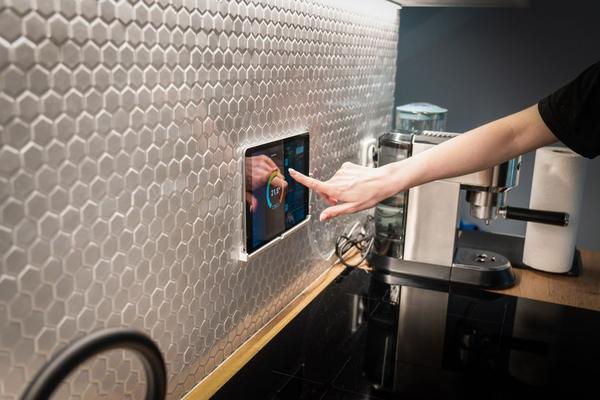
A light turns on when you enter the hallway. The thermostat eases back after everyone leaves. Your porch lights switch on at sunset without anyone opening an app. These small conveniences raise a useful question: how does home automation work behind the scenes?
The short answer is that connected devices exchange information, a system evaluates a rule, and something happens automatically.
The basic chain: detect, decide, act
Most home automation systems follow three steps. First, a device reports an event or a changing condition. Next, software checks whether a rule should run. Finally, it sends a command to another device.
Devices provide information and perform actions
A motion sensor, door contact, temperature sensor, or smart lock can report what is happening. These are inputs. A smart bulb, outlet, shade motor, or thermostat can respond to commands. These are outputs. Some products play both roles: a thermostat reads temperature and controls heating or cooling equipment.
Rules turn information into automation
An automation trigger is the event that starts a rule, such as motion being detected, a particular time arriving, or a person leaving a defined location. Conditions narrow the rule: perhaps it should run only after sunset. The action is the result, such as turning on a lamp. This distinction prevents a common mistake: treating a trigger and a condition as though they are interchangeable.
How devices communicate with each other
Connected home technology needs a communication path. Wi-Fi devices typically connect to your home router. Ethernet gives compatible devices a wired connection. Zigbee and Z-Wave use low-power networks that commonly require a compatible hub or bridge. Thread is another low-power mesh network; it uses a Thread border router to connect its devices with the wider home network.
A border router is not automatically the same as an automation hub. It carries network traffic between Thread and other IP networks, while a hub or smart home controller may also store device information, evaluate rules, and coordinate actions.
Matter helps compatible products from different brands communicate using a shared smart home standard. It operates over networks such as Wi-Fi, Ethernet, and Thread; Matter itself is not a replacement for Wi-Fi. Compatibility still depends on the particular product, supported device features, and chosen platform. A Matter logo does not guarantee every advanced setting appears in every smart home app.
What an app, hub, and cloud service actually do
Smart home apps provide the dashboard where you add devices, name rooms, set schedules, and create routines. They are also where you grant household access and inspect device status. The app is usually the interface, not the component that must remain open on your phone for every automation to run.
The actual decision-making may happen in a controller inside your home or on a manufacturer’s cloud servers. With local processing, a supported routine can continue working while the internet is unavailable, provided the local network and required devices remain powered and connected. Cloud-dependent routines may stop if your connection or the provider’s service goes down. Remote access and voice features may have different dependencies from local switching.
If you are comparing platforms, a guide to smart home hubs can help explain which devices need separate hardware and which already have controller functions built in.
A real example: motion-controlled porch lighting
Imagine a porch light that turns on when someone approaches after dark, then turns off once the area is quiet. The motion sensor sends an event, the controller checks whether the current time is between sunset and sunrise, and the smart switch receives an on command. A timer or no-motion condition later sends the off command.
Set the light to stay on for several minutes so it does not switch off while you search for keys. Make sure repeated motion can extend the timer. Decide what should happen when someone turns the physical switch on manually. Test the sensor from the sidewalk and doorway, since a detection gap can undermine the whole routine.
A separate guide to smart home sensors would be a natural next read if you want to understand motion sensitivity and placement in greater depth.
Scenes, schedules, and routines are different
A scene sets one or more devices to predefined states, such as dimming living-room lights and closing shades for movie night.
A schedule runs at a chosen time or relative to sunrise or sunset. A routine is often a broader sequence or rule that reacts to events and may include conditions, delays, and multiple actions.
Location-based automations add another complication: a phone may need location permissions and background access. If those are disabled, an arrival or departure routine may not trigger reliably. For more ideas about sequencing actions, see a guide to creating smart home routines.
Why automations sometimes fail
When a light misses a command, start with the chain rather than resetting everything. Did the sensor detect the event? Was the condition satisfied? Could the controller reach the switch? Checking those questions in order is faster than changing random settings.
Weak wireless coverage, a sleeping battery sensor, an offline hub, outdated firmware, or a disconnected cloud account can each interrupt a different step. For Thread or Zigbee mesh systems, device placement and powered network-extending devices can affect coverage. For Wi-Fi devices, router signal and network congestion may matter more.
Build reliability into the design. Keep ordinary wall controls usable, avoid depending solely on automation for safety-critical tasks, and use unique passwords, account multifactor authentication where offered, and timely software updates. After setting up a rule, test it under the same conditions that will trigger it in daily life.
Frequently asked questions
Does home automation require the internet?
Not always. Some controllers and compatible devices communicate locally, so supported automations can work without an active internet connection. Cloud-based commands, remote access, and some integrations may require one.
Do I need a hub to automate my home?
No single answer fits every setup. Some Wi-Fi products use their own apps and services without a separate hub. Zigbee or Z-Wave devices typically need compatible hub hardware, while Thread devices need a border router to communicate with the rest of your home network.
Can smart devices from different brands work together?
Often, but check compatibility before buying. Matter improves interoperability for supported device types and functions. Other products may work together through a shared platform, compatible bridge, or cloud integration.
Is using a voice assistant the same as automation?
No. Saying a command is manual control by voice. True automation starts from an event, schedule, or condition without requiring you to issue that command each time.
Putting the pieces together
Home automation is less mysterious once you see it as a chain of inputs, rules, communications, and outputs. Start with one small routine, identify where its decisions run, and confirm what happens when the network or internet fails. That approach produces a connected home that behaves predictably instead of a collection of gadgets that merely happen to have apps.