
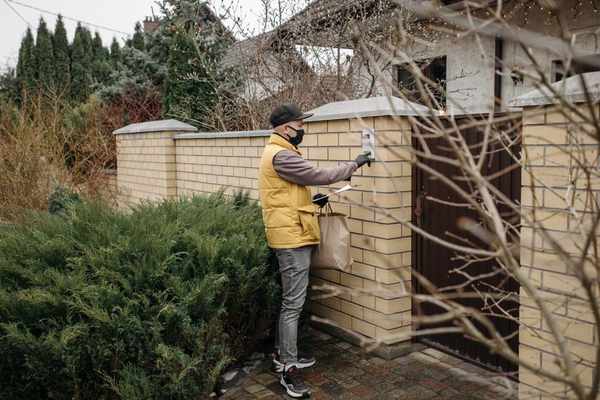
A video doorbell can help you see a visitor, check a delivery, or answer the door when you are away. It can also record people who never intended to visit you: neighbours passing on the pavement, children at the next doorway, or someone entering a shared hallway. Good video doorbell privacy is not about giving up useful security features. It is about collecting only what helps protect your entrance, then controlling who can see it and how long it stays stored.
Start With the View From Your Door
Before changing app settings, stand outside and look at what the camera actually sees. A wide-angle lens may include much more than the doorstep. Moving the device a few centimetres, changing its wedge mount, or tilting it downward can reduce unnecessary recording without losing a clear view of visitors.
Point Toward Your Entrance, Not Someone Else’s Routine
Aim for the area where visitors stand and parcels are placed. Avoid pointing directly into a neighbour’s window, garden, or front door where possible. In an apartment building, pay special attention to communal corridors: a doorbell facing along the hallway might capture every resident arriving home.
For example, imagine a terraced house with a narrow front path beside a busy pavement. Angle the camera slightly down toward the path and doorstep, then check whether a person ringing the bell remains visible. This offers a more proportionate view than keeping the entire street in frame. A guide to front door camera placement can help you think through mounting height and sightlines.
Use Motion Zones and Privacy Masks for Different Jobs
Motion zones and privacy zones are often confused, but they do different things. A motion zone generally determines where activity triggers detection or alerts. Depending on the model, the camera may still show or record areas outside that zone. A privacy mask or privacy zone, where supported, blocks part of the image from view or recording. Check your manufacturer’s description rather than assuming the labels are interchangeable.
Keep Alerts Focused on Useful Events
Draw a motion zone around your step, gate, or short approach path instead of the passing traffic beyond it. Adjust motion sensitivity gradually and test a delivery or ordinary visitor. Some doorbells let you distinguish people from vehicles or other movement; those filters can reduce notifications, but detection is not perfect.
Review your video doorbell settings after changing a fence, adding plants, or moving the mounting bracket. A zone that worked in summer might behave differently when branches move in winter. If the camera supports privacy masks, use them to conceal neighbouring windows or entrances that should not appear in footage.
Think Carefully About Audio
Audio can be more intrusive than a picture because microphones may pick up conversations beyond the doorway. If you mainly need to identify a visitor, consider turning off recorded audio where your device allows it. Two-way talk can still be useful, but check whether it functions separately from audio recording on your model. Also review features such as continuous recording, pre-event clips, and automatic announcements rather than accepting every default.
Keep Recordings Only as Long as They Are Useful
Doorbell camera privacy continues after an event ends. Cloud subscriptions, local memory cards, and saved downloads can all retain footage. Check whether clips are stored automatically, how long the service keeps them, and whether deleting a clip in one location removes every copy. Turning off a subscription does not necessarily erase previously downloaded videos.
Choose the shortest practical retention period available for routine events. Save a specific incident only when there is a clear reason, such as damage to your property or a missing delivery. Delete ordinary clips rather than building an archive of neighbours’ daily movements. If you use local storage, protect the device or hub against theft and keep its software updated.
Share Less, and With More Care
A short clip can reveal addresses, faces, voices, and household routines. Avoid posting footage of an unfamiliar visitor to a neighbourhood group merely because they looked unusual. If an incident genuinely needs reporting, share the relevant segment through an appropriate private channel and avoid unnecessary public identification. Check any automatic community-sharing features and connected services in the app.
Make Camera Account Security Part of Privacy
Even carefully framed footage is sensitive if someone gains access to the account. Use a long, unique password and enable two-factor authentication when offered. Keep the doorbell’s firmware, companion app, and your phone updated. These are also standard recommendations from organisations such as the US Federal Trade Commission and the UK’s National Cyber Security Centre.
Review Devices and People With Access
Open your account’s device, session, and shared-user settings. Remove old phones, former household members, or anyone who no longer needs access. Give family members their own supported accounts instead of passing around the main password. If a device offers activity history or login notifications, review anything unfamiliar and change credentials promptly if access looks suspicious.
Secure your home Wi-Fi router too, and avoid exposing the camera directly to the internet through manual port forwarding. Before selling or giving away a doorbell, delete retained recordings as appropriate, unlink it from your account, and follow the manufacturer’s factory-reset instructions. A practical overview of smart home camera security can help with the wider network.
Respect Shared Spaces and Local Rules
Privacy laws vary by country and by where the camera points. In the UK, the Information Commissioner’s Office explains that domestic CCTV and smart doorbells capturing people beyond the property’s boundary can trigger data protection obligations, including responsible positioning, notice, access, and storage. Rules may differ elsewhere, particularly for sound recording or communal areas. Check local guidance, building policies, or landlord rules before installation.
Frequently Asked Questions
Can a video doorbell record the street?
It may be technically able to, but capturing public areas can create privacy and legal responsibilities. Position it to cover your own entrance as closely as possible, and check the rules where you live.
Do motion zones stop other areas being recorded?
Not necessarily. Motion zones commonly control detection and alerts. Look for a separate privacy-mask feature if you need to obscure part of the picture, and verify its behaviour with a test recording.
Should I turn off my doorbell microphone?
If recording conversations is unnecessary, disabling audio recording is a sensible privacy choice when supported. Check whether this affects two-way conversation and be aware that local laws may have additional audio-consent requirements.
How often should I delete video doorbell clips?
Set a short automatic retention period that meets your security needs, then remove routine clips you do not need. Keep incident footage only for a justified purpose and protect any copies you download or share.
Find the Balance That Fits Your Front Door
The best setup captures a useful view of visitors without treating the entire neighbourhood as a security feed. Thoughtful placement, carefully tested zones, minimal audio and storage, and strong camera account security make a video doorbell more useful and less intrusive. Revisit those choices whenever the doorway, household, or device changes.