
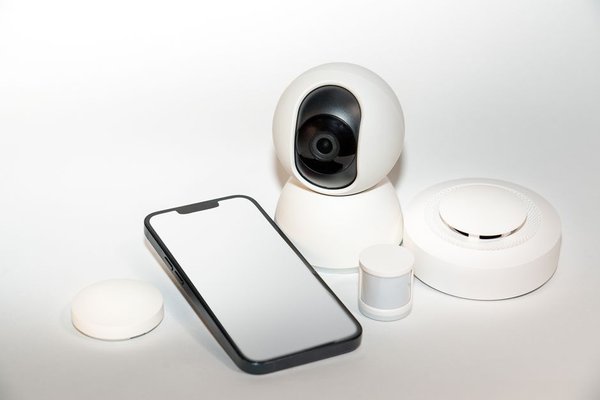
A door sensor trips at 2:17 a.m. Your phone lights up, but it is on silent across the room. What happens next depends less on the sensor than on who is responsible for the alarm. That is the central question in monitored vs self monitored home security: do you want a service to handle urgent signals, or are you comfortable managing security alerts yourself?
Both approaches can use similar cameras, motion detectors, door contacts, and sirens. Neither automatically prevents a break-in. The meaningful differences are how alarms are handled, how systems communicate during outages, and what you pay for ongoing protection.
The Real Difference Is Who Responds
With a self monitored alarm, a sensor event typically triggers a siren, app notification, or both. You review the message, check available footage, and contact emergency services if needed. You can share app access with trusted family members, but that does not guarantee somebody will be available.
Professional monitoring connects eligible alarm signals to a staffed center. Operators follow procedures that may include contacting you, checking available verification information, and requesting emergency assistance. They cannot guarantee an immediate response from police or firefighters, and not every notification qualifies for dispatch.
What Happens When You Miss an Alert?
Imagine an intrusion alarm activates while you are on a flight. With self-monitoring, you might not see the notification until landing. A monitored system can send an eligible signal to operators who follow their response procedure without waiting for your phone to reconnect. The difference is response responsibility, not necessarily the quality of the sensors.
Emergency Response Has Limits
Self-monitoring leaves the emergency call to you. That can be useful when a camera reveals a harmless cause, such as a pet triggering motion detection. But you may be driving, sleeping, or somewhere without mobile reception when a real incident happens.
Monitoring personnel can evaluate alarm signals and contact emergency services under the provider’s rules. Verification steps and dispatch eligibility differ by service and location. Local authorities may require alarm registration or verification before responding. Ask what happens when you cannot answer a monitoring-center call and which types of signals qualify for escalation.
Internet, Cellular Backup, and Power Outages
Neither monitoring type guarantees continuous connectivity. Reliability depends on hardware, the plan, available communication routes, and backup power.
Some professional systems use cellular communication so an alarm can reach the monitoring center when home broadband fails. Others use internet and cellular paths together. Battery backup can keep the control panel running during a power cut, but only for its rated duration. Cellular communication also depends on network coverage.
Self-monitored devices often depend on Wi-Fi and cloud services for remote security alerts. During an outage, the local siren may continue operating even if push notifications or camera viewing stop. Some self-monitored products have cellular options too. When comparing home security without Wi-Fi, separate local alarm operation from remote communication; they are different functions.
How Much Does Alarm Monitoring Cost?
Professional monitoring usually adds a monthly or annual fee. Self-monitoring may avoid that charge, but some brands require payment for recording history, smart notifications, cellular connectivity, or other features. Both approaches have equipment costs; professional installation and extended warranties may add more.
Compare the total over several years. A hypothetical $25 monthly monitoring plan costs $900 over three years before hardware and other fees. That is an illustration, not a market-wide quote. Ask whether you own the equipment, how cancellation works, and which features disappear if you stop paying.
Check local alarm permits and possible false-alarm charges. Read the written contract for service increases, installation fees, renewal conditions, and cancellation penalties before signing.
Alert Fatigue and False Alarms
A notification about an open garage door should not feel identical to an intrusion alarm. If every routine event triggers a loud phone alert, you may start ignoring them. Assign different settings to ordinary activity and urgent incidents. Review motion sensitivity, sensor placement, pet settings, and emergency contacts regularly.
Professional monitoring does not replace correct installation. Operators may still have to investigate false signals, and avoidable dispatches can carry consequences. Our home security camera placement guide and advice on preventing false alarms are useful starting points for either setup.
Which Setup Fits Your Household?
Self-Monitoring May Be Better If
You mainly want awareness of deliveries, doors, and activity around a smaller property; you consistently check your phone; and you want fewer recurring costs. You also need to feel comfortable reviewing an incident and making an emergency call yourself. If several people share responsibility, agree in advance who acts on which alerts.
Professional Monitoring May Be Better If
You travel frequently, keep irregular hours, miss notifications while sleeping, or prefer having another party receive eligible alarm signals. It may be especially appealing when you want supported intrusion response while away. Confirm that any smoke or carbon monoxide sensors you want monitored are compatible and actually covered by the plan.
Consider a System That Can Switch
Some brands allow self-monitoring first and professional monitoring later, sometimes without a long contract. Others tie essential functions to a subscription. Check the flexibility before buying, particularly if your budget or household routine may change.
Five Questions Worth Asking Before Purchase
First, who receives a triggered alarm and what happens if nobody answers? Second, which sensors are eligible for monitored emergency response? Third, do alarms and alerts work during an internet or power outage? Fourth, what is the complete three-year cost? Fifth, what still works when you cancel the service?
Ask the seller to demonstrate the response process rather than simply showing camera footage. Use a home security system installation checklist to confirm sensor locations, phone permissions, emergency contacts, backup options, and local registration requirements. Test notifications with each household member who will act on them.
Frequently Asked Questions
Is professionally monitored security safer than self-monitoring?
It provides an additional response layer when you cannot answer an alarm, but it does not guarantee an incident will be prevented or emergency responders will arrive within a set time. Hardware, setup, connectivity, and local procedures still matter.
Will a self-monitored alarm automatically call the police?
Ordinary self-monitoring alerts you rather than arranging dispatch. Some providers offer separate emergency-response services or optional professional monitoring. Read the plan details instead of assuming automatic police contact.
What happens if the power or internet goes out?
Some systems have backup batteries and cellular signaling; others may retain a local siren but lose remote alerts or video access. Check the specific equipment, subscription, and rated backup duration.
Can I switch from self-monitoring to professional monitoring later?
Many systems permit a service upgrade, but not all. Confirm compatibility, activation charges, monitoring availability, and any contract obligations before purchasing.
Choose the Response Model, Not Just the Equipment
Choose self-monitoring if you can reliably act on alerts and want direct control over costs. Choose professional monitoring if having trained operators available for eligible alarms justifies the ongoing fee. Whichever you select, test what happens when you are unreachable or connectivity fails. Those are the moments that reveal how useful the system really is.