
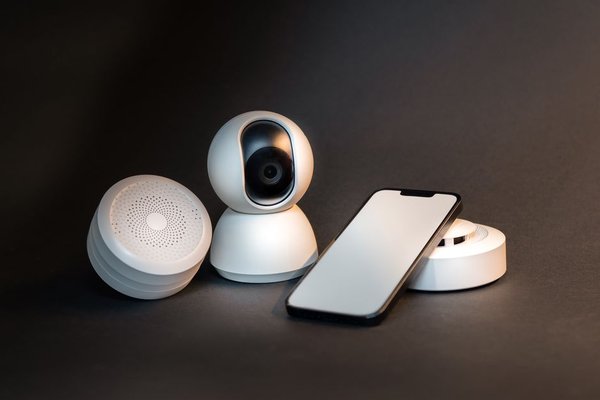
A smart home should make life easier, not give you six apps to open before switching on a lamp. The trick with a smart home setup for beginners is to start with one problem you want to solve, then choose devices that work together. You do not need complicated wiring, a dedicated computer, or a room full of gadgets. One useful light or plug can be enough to begin.
Start with a routine, not a shopping list
Think about moments you repeat every day. Do you walk into a dark hallway carrying groceries, forget to turn off a desk lamp, or want softer lighting in the evening? Choose one situation first. That makes your first smart devices purposeful and gives you a way to tell whether they are worth keeping.
For example, a renter could connect a lamp to a compatible smart plug and schedule it to turn on shortly before sunset. This beginner smart home project requires no changes to household wiring. Check that the plug suits your country’s outlets and is rated for the connected load.
Choose one main control system
Before buying anything, decide where you want to control it. Common ecosystems include Apple Home, Google Home, Amazon Alexa, and Samsung SmartThings. Each has its own supported devices and automation features. Your existing phone, speakers, and household preferences should shape your decision.
If your family already uses compatible Google or Alexa speakers, staying with that ecosystem may be simpler than starting again. If everyone uses iPhones, Apple Home may be a natural choice. Voice control is optional; a phone app and automatic schedules may be all you need.
Pick one main app for everyday control, even if a manufacturer’s app is needed for setup. Check the exact model against your preferred ecosystem’s compatibility information. A product that accepts voice commands does not necessarily expose all its features in every smart home app.
Make sure the home network is ready
Unreliable Wi-Fi can make otherwise good devices frustrating. Test coverage where you intend to install products, including distant rooms. Many smart bulbs and plugs use 2.4 GHz Wi-Fi; others support additional connections. Read the requirements instead of assuming every product will join a 5 GHz-only network.
Use a strong Wi-Fi password and keep router firmware current. A separate guest or IoT network can add isolation, but it may also block the local discovery that some smart home systems require. Check your router settings rather than separating everything automatically.
Understand Matter, Thread, and hubs
Matter is a standard designed to improve compatibility between certified devices and participating smart home ecosystems. It is useful when mixing brands, but support still varies by product category, platform, and feature. The Matter logo is a good starting point, not a substitute for checking compatibility.
Matter products can communicate over Wi-Fi, Ethernet, or Thread. Thread is a low-power mesh network often used by small accessories. A Matter-over-Thread device needs a compatible Thread border router, sometimes built into a smart speaker, display, or hub. Not every device sold as a hub includes that function.
For a smart home starter setup, check three things before checkout: which app controls the product, whether extra hardware is required, and which features your chosen platform actually supports. These questions prevent the familiar problem of buying disconnected gadgets.
Choose a small first-device kit
Smart bulb or smart plug?
Choose a smart bulb if you want dimming or colour changes. Its wall switch generally needs to stay on for the bulb to remain connected. A smart plug is better for switching a suitable existing lamp on or off, but it cannot add dimming to an ordinary bulb. Avoid connecting heaters or high-load appliances unless the plug explicitly permits it.
Should you buy a speaker or hub?
Not necessarily. Buy a compatible speaker if hands-free commands solve a real problem. Add a hub when a particular accessory or automation needs one. Starting with a phone and one compatible device is often more sensible than purchasing extra equipment in anticipation of needs you may never have.
Set up devices one at a time
Follow the manufacturer’s pairing instructions, update the app and device firmware, and test each accessory before adding another. Give products obvious names such as “Hall Lamp” instead of “Plug 1”, then assign them to rooms. Clear names help with voice commands, routines, and troubleshooting.
Try the device from your phone, test its schedule, and see what happens if internet access fails while the home network remains powered. Some functions work locally; others need a cloud connection. Knowing that difference matters more than a long features list.
Create one automation you can trust
Home automation for beginners works best when it removes a repeated task. Try a sunset lighting schedule, a bedtime scene that switches off selected lamps, or a gentle morning lighting routine. Choose something easy to override manually and avoid automating safety-critical equipment as your first experiment.
For the sunset example, watch the lamp for several evenings, then adjust the timing. Make sure everyone at home can still operate it without your phone. A routine is convenient only if it works for the household, not just the person who installed it.
Protect your devices and resist unnecessary upgrades
Use unique account passwords, enable multifactor authentication where available, and install security updates. Review access for household members. Smart cameras need particular attention to recording, storage, and privacy settings. Remove devices from your accounts before passing them to someone else.
Before each purchase, ask whether it solves a problem, works in your chosen ecosystem, and needs another hub or subscription. A smart bulb buying guide may help with lighting choices; a home Wi-Fi troubleshooting checklist is more useful if accessories disconnect. Explore simple smart home automations only after your first routine feels reliable.
Frequently asked questions
How much does a beginner smart home cost?
There is no fixed budget. You can start with a single compatible bulb or plug and your existing phone. Speakers, hubs, sensors, subscriptions, and professional installation increase the total. Consider the full cost of making a device work, not just its purchase price.
Can I set up a smart home without a hub?
Yes. Many Wi-Fi devices work with a phone app alone. Other products, including many Thread or Zigbee accessories, require compatible supporting hardware. Check the specifications of the exact device before buying.
Do I need voice control?
No. App controls, physical switches, and scheduled routines may be more useful. Voice assistants are convenient for some households but not essential to a working smart home.
Will smart devices still work without internet?
It depends on the product and controller. Some local controls and routines continue if the home network has power, but cloud features and remote access may stop. Test the behaviour before relying on any automation.
Build slowly and keep what works
The best setup is not the one with the most gadgets. It is the one that works predictably for everyone at home. Start with one problem, settle on a control system, verify compatibility, and test one useful routine. Once it feels effortless, you will know what is actually worth adding next.