
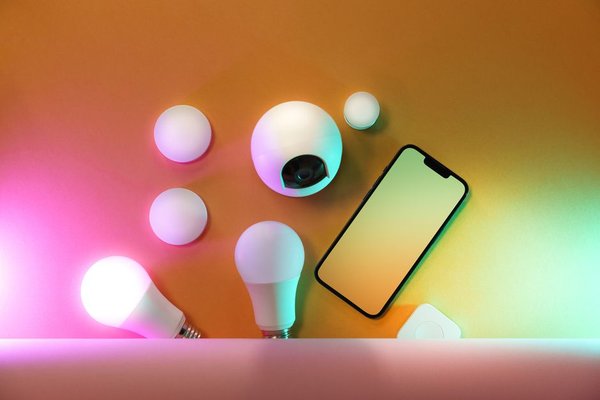
Smart bulbs can change color from a phone, but the novelty fades if you still open an app whenever you enter a room. Smart light automation becomes useful when connected lighting follows ordinary moments: waking up, arriving home, watching a movie, or leaving a room empty. The best setup quietly provides the right light at the right time.
For most US homes, a few well-designed routines are more valuable than dozens of complicated scenes. Start with one room and the moments when you repeatedly reach for a switch.
Think in Triggers, Conditions, and Actions
A trigger starts a routine: a scheduled time, detected motion, or a voice command. A condition limits when it runs, perhaps after sunset or only while someone is home. An action turns lights on, dims them, changes their color temperature, or switches them off.
For example, a hallway sensor could trigger lighting only after dark, setting it to 30% instead of full brightness. Not every smart home app supports every condition, so check what your particular platform and devices can do.
Smart Lighting Routines Worth Setting Up
Wake-Up: Bring the Room Up to Brightness
In a bedroom with dimmable bulbs, schedule a warm, low light shortly before your weekday alarm. If supported, increase brightness over 15 to 30 minutes. The gradual change feels gentler than abruptly switching on the ceiling fixture, though it is no substitute for a healthy sleep schedule.
Use different lighting schedules for weekends and keep a convenient cancellation option. Remember that smart bulbs need power: a conventional wall switch turned off will prevent them from receiving commands.
Bedtime: Wind Down in Stages
A bedtime scene needn’t shut down the whole house at once. At 9:30 p.m., living-room lamps could dim to 40% and shift to warm white. At 10:15 p.m., those lamps can turn off while a bedside light stays on for reading.
Consider a second routine for a late-night bathroom trip. Motion can activate a low, warm hallway light for a few minutes, avoiding harsh overhead brightness. Keep a physical way to illuminate paths when needed.
Arriving Home: Combine Sunset and Presence
Rather than keeping entry lights on all afternoon, schedule a porch light around sunset and trigger the foyer lights when someone arrives after dark. Some platforms use opted-in phone location or compatible sensors to detect presence.
Test this with everyone in the household. If a single person leaving triggers an away routine, it could turn off the lights on someone still at home. Use an everyone-away condition where supported, and preserve manual control.
Movie Time: Change Several Lights at Once
Build a scene that switches off overhead fixtures, dims a lamp behind the sofa to about 15%, and sets distracting accent lights to a steady color. Trigger it with one voice phrase, smart button, or phone shortcut instead of adjusting every bulb separately.
Create a matching Normal Lighting scene to restore everyday settings afterward. Otherwise the next person entering the room might inherit an unexpectedly dark setup.
Empty Rooms: Turn Lights Off Without Interruptions
Occupancy-based automated lights are especially handy in closets, laundry rooms, and utility spaces. A motion sensor can turn lights on at entry and off after inactivity. Start with a five-minute delay and adjust it after observing how the room is used.
Someone reading quietly might not move enough for a basic motion sensor. In a home office, choose a longer timeout, a suitable occupancy sensor, or a manual override. Electricity savings depend on usage; don’t assume every automated bulb will noticeably reduce a bill.
Set Up a Simple Automation First
Try a kitchen routine that turns on under-cabinet lights at dusk. Pair your bulb or smart switch with its manufacturer’s app or a compatible home platform. Give each device a clear name and assign it to the correct room.
Open the app’s automation section, select sunset as the trigger, then choose the lights and brightness. If supported, add a condition that someone must be home. Save and test the behavior rather than assuming the setup will work.
Observe the routine for several evenings. Sunset-based triggers adjust to seasonal daylight better than a fixed 6:00 p.m. schedule, but your windows, weather, and preferences may still make an earlier or later start more practical. Change one setting at a time so problems are easy to identify.
Make Sure the Devices Work Together
Smart bulb automation works best when the bulbs, sensors, switches, and controller offer the same functions in your chosen app. A product advertised as voice-assistant compatible may not expose every sensor trigger or scene feature. Check specific capabilities before outfitting an entire floor.
Matter can improve interoperability among supported products, but device categories, controllers, networks, and features still matter. Some bulbs use Wi-Fi; Thread devices may require a compatible border router; Zigbee products often use a hub or bridge. A guide to choosing smart bulbs can help clarify these tradeoffs.
For fixtures with several bulbs, smart switches may be simpler than replacing every lamp. If installation touches household wiring, follow product requirements and use a qualified electrician. Guides to smart home sensors and voice assistant routines can help you expand gradually.
Keep Routines Reliable and Easy to Override
Avoid conflicting instructions. A bedtime routine that dims lights should not fight an occupancy rule that immediately restores full brightness. Decide which action takes priority, and give family members familiar physical or app controls.
Test what happens after power or internet interruptions. Some automations depend on cloud connections, while compatible systems can run certain actions locally. Check each bulb’s power-restoration behavior. Automated lighting is a convenience, not a substitute for essential safety lighting.
Frequently Asked Questions
Can smart lights turn on automatically without voice commands?
Yes. Compatible setups can use schedules, sunrise or sunset, motion, presence sensing, and other device events. Voice control is optional.
Do I need a hub for smart lighting routines?
Not always. Some Wi-Fi bulbs work with an app and router. Other products need a compatible hub, bridge, or controller, depending on their wireless technology and features.
Does automating lights save electricity?
It can reduce unnecessary use when lights would otherwise stay on. Because modern LED bulbs already use relatively little electricity, the actual savings vary. Convenience may be the bigger benefit.
Can I still use regular wall switches?
Yes, but a standard switch that cuts power can make a smart bulb unreachable. Compatible smart switches, scene controllers, or buttons maintain physical control without disrupting the routine.
Start Small, Then Let the Routine Disappear
The best smart light automation feels natural, not impressive for its own sake. Begin with a reliable arrival light or a gentle bedtime scene. Test it, adjust the timing, and stop adding complexity when the room works comfortably for everyone. That’s when connected lighting becomes a useful part of daily life.